Why Travel Apps Matter
Planning a multi-stop trip from a phone sounds simple until flights, reservations, maps, and tickets end up scattered across several apps. The best tool is not necessarily the one with the most features; it is the one that remains usable when data is slow, battery is low, or plans change.
Comparing offline access, accuracy, cost, and booking organization early can prevent avoidable stress later. A smaller, compatible toolkit often works better than downloading every highly rated travel app.
Best Apps for Finding Flights

When comparing flight apps, start with the route rather than the brand. For a multi-stop trip, an app with flexible-date searches and multi-city support is usually more useful than one focused on the lowest one-way fare. Google Flights can quickly reveal cheaper timing, while Skyscanner is helpful for comparing airlines and alternate airports, but either may send you to a separate site to complete the booking.
The reservations can become scattered, and changes may require dealing with the airline rather than the app. For complicated itineraries, booking directly with the airline often costs slightly more in convenience or price but makes cancellations, seat selection, and schedule changes easier to manage. Save confirmation emails offline, check baggage rules independently, and avoid relying on app notifications alone when connectivity or battery life is limited.
Maps and Navigation Apps
Once your route is booked, navigation becomes part of the daily travel routine. Google Maps is useful for turn-by-turn directions, public transport connections, walking routes, and finding nearby restaurants, shops, and other services. Citymapper offers more detailed public transit guidance in the cities it covers, including route comparisons and transfer information. Rather than relying on one app for every journey, compare their directions when a route involves several changes or unfamiliar stations. Before leaving reliable Wi-Fi, download the map areas you expect to visit, particularly for rural drives, long road trips, and destinations where mobile data is expensive or coverage is unreliable. Save your accommodation, transport hubs, planned attractions, and important stops so they remain easy to find throughout the day.
Offline maps offer a useful backup, but their information has limits. Downloaded areas may still provide roads, walking directions, and location data, yet live traffic conditions, public transport delays, temporary closures, and recently updated business details may be unavailable. Check important journeys while connected to the internet, especially when travelling to an airport, catching an intercity train, or reaching a destination with limited transport options. Public transit schedules can change by weekday, weekend, or holiday, so confirm departure times before setting out. For driving routes, review parking locations, road restrictions, and toll requirements rather than relying solely on the estimated arrival time.
Battery life deserves attention as well. Continuous GPS use, screen brightness, and mobile data can drain a phone much faster than ordinary browsing, particularly during a full day of sightseeing. Save key addresses, station names, ticket details, and walking directions as screenshots or notes that remain accessible without an internet connection. Carrying a compact power bank provides additional reassurance when the phone also holds boarding passes, reservations, and digital tickets. For multi-stop trips, organize saved places and downloaded map areas into separate lists for each destination. Clear labels such as accommodation, restaurants, transport, and sightseeing make it easier to switch between locations without searching through a long collection of pins. Preparing these details before departure leaves more time for the journey itself and fewer interruptions when navigating unfamiliar streets.
Trip Planning and Organization Apps
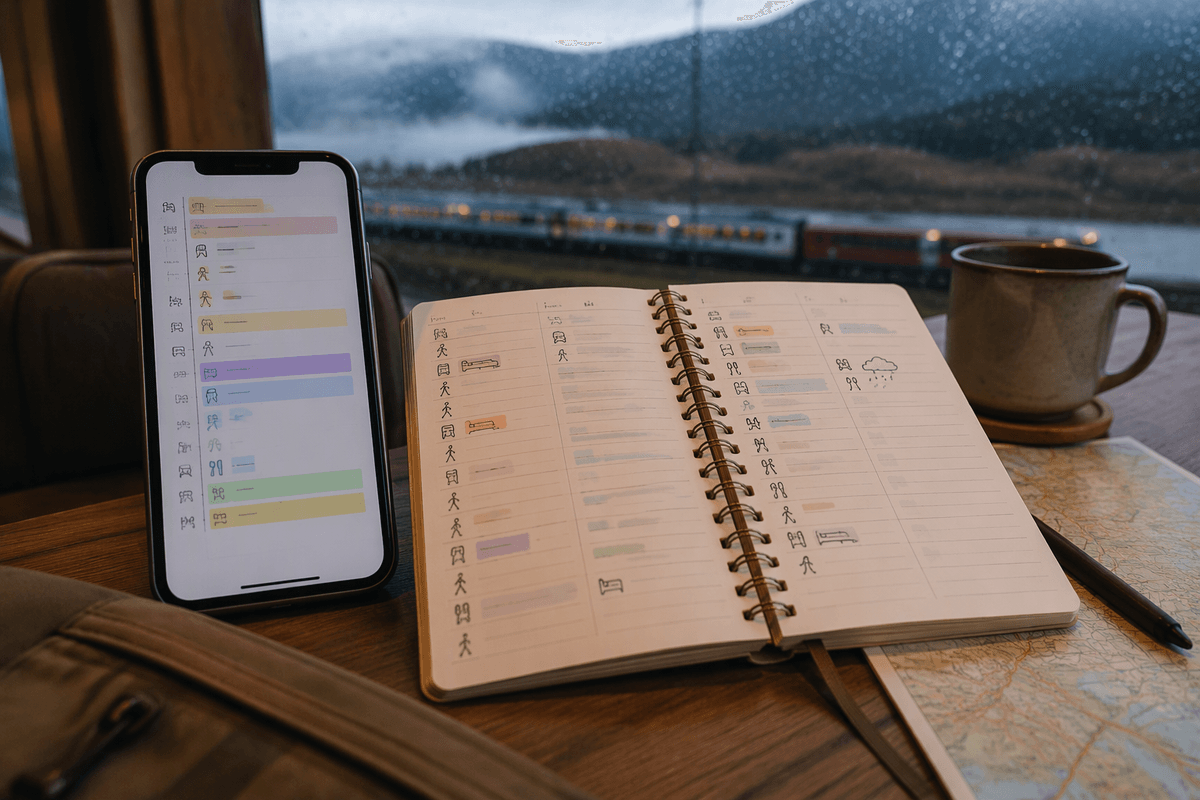
Once the route is mapped, organization apps become useful for keeping the trip from splintering into separate confirmations and screenshots. TripIt can collect flight, hotel, and rental-car details from forwarded emails, while Wanderlog offers a more visual way to arrange stops and daily plans. These tools save time when moving between cities, but automatic imports can miss reservation changes, duplicate bookings, or place activities in the wrong time zone.
For a complicated itinerary, keep one master record rather than trusting the app completely. Add confirmation numbers, cancellation deadlines, check-in times, and offline copies of essential tickets. Calendar integration helps with fixed departures, but overly detailed schedules can make a trip brittle when trains run late or weather changes plans. Use the planning app for structure, then leave realistic gaps for transport, meals, and recovery.
Choosing Apps for Your Travel Style
Choosing the right combination depends on how you travel, not on which app has the longest feature list. A fast-moving traveler may value automatic itinerary imports and reliable transit updates, while a budget traveler may prioritize free offline maps and direct airline booking. If you are traveling through areas with weak service, offline access matters more than polished design; if plans change frequently, clear cancellation details and centralized reservations matter more than visual trip boards.
Keep the setup manageable by assigning each app one job: flights, navigation, and itinerary storage. Test the combination before departure, including downloaded maps, saved confirmations, and battery use during a typical day. If an app duplicates another tool, adds subscription costs, or requires constant connectivity, remove it. The goal is not maximum coverage but a dependable toolkit that still works when the itinerary, signal, or energy level changes.
Build a Simpler Travel App Toolkit
Before departure, reduce the setup to one flight tool, one navigation app, and one master itinerary. Download maps and tickets on Wi-Fi, record confirmation numbers separately, and test battery use during a normal day. This takes less time than troubleshooting multiple overlapping apps after landing.
The simplest toolkit is usually the most reliable: fewer subscriptions, less duplicated information, and clearer backups when service fails. Choose convenience where it saves effort, but keep essential details available offline so a weak signal does not control the trip.